Free AI Integration
Connect AI to financial systems with FreeBuff and YasnaMCP
With YasnaMCP support for FreeBuff, users can connect FreeBuff to YasnaMCP without paying for the AI client itself, and connect an AI model to accounting, finance, ERP, reporting and other business systems.
Important: FreeBuff is free to use for this scenario and can serve as an AI client for the tools and services exposed by YasnaMCP.
FreeBuff → Custom MCP → YasnaMCP → Financial / ERP / Business Systems
Why does FreeBuff matter for YasnaMCP?
This connection lets users access financial and operational tools through AI without having to purchase an expensive client, using the tools exposed by YasnaMCP.
- Connect FreeBuff to YasnaMCP through Custom MCP without a FreeBuff client fee.
- Give the model access to finance, accounting, ERP and reporting tools.
- No direct connection from FreeBuff to the database or internal application is required.
- Manage permissions and tools in the YasnaMCP layer.
- Suitable for testing, development, personal use and controlled organizational scenarios.
Connect FreeBuff through Custom MCP
Create a Custom MCP connection in FreeBuff and provide your YasnaMCP endpoint.
1
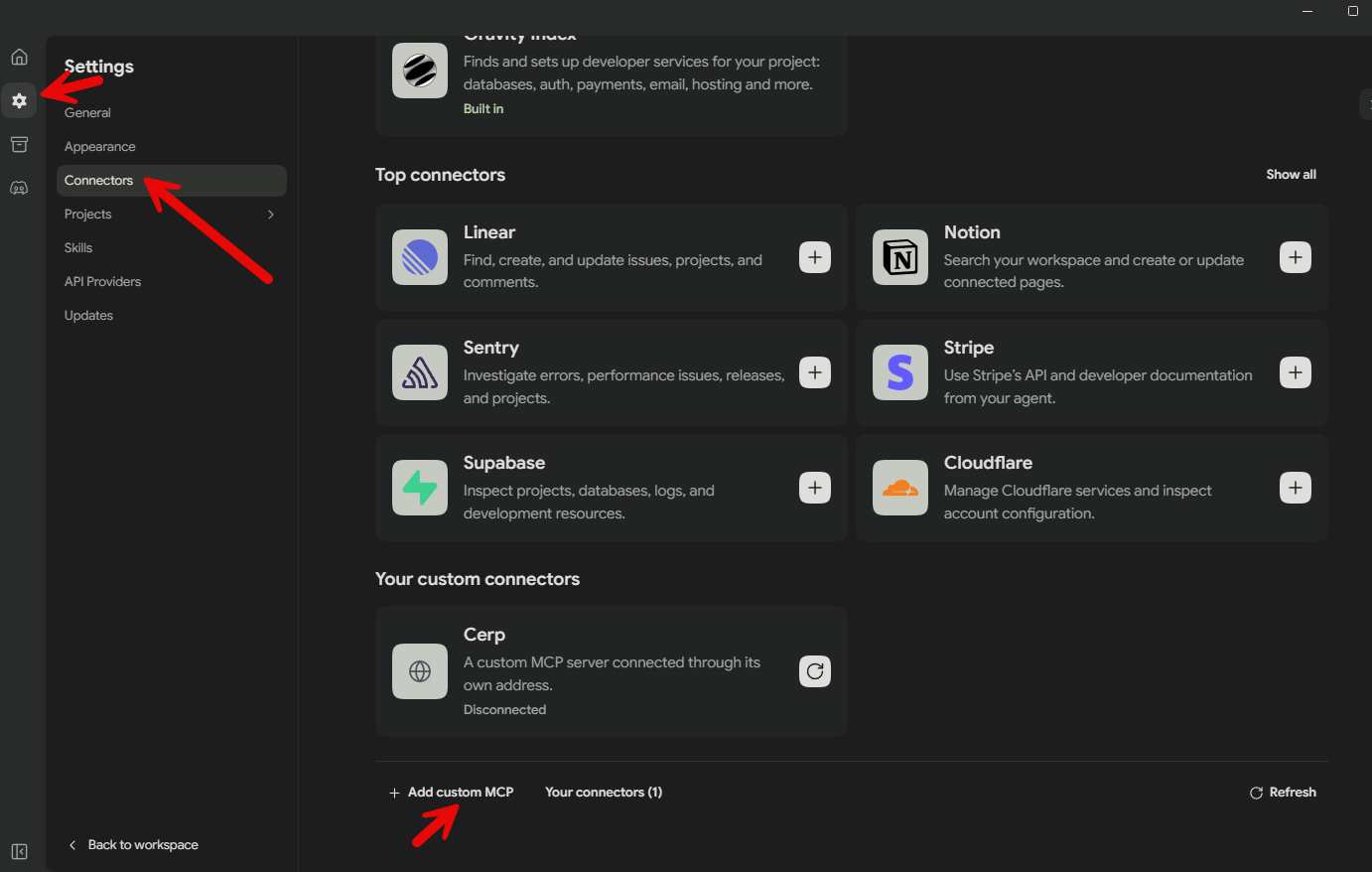
Open FreeBuff settings
Open the MCP / Tools settings.
2
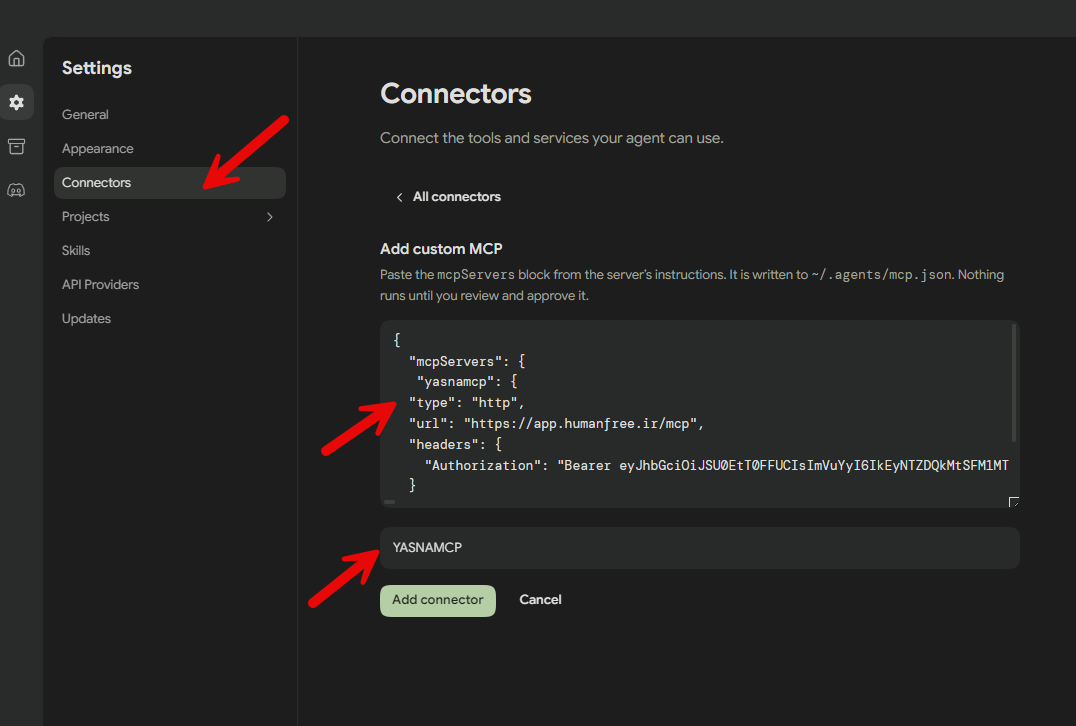
Add a new MCP connection
Choose the option to add a new MCP connection.
3
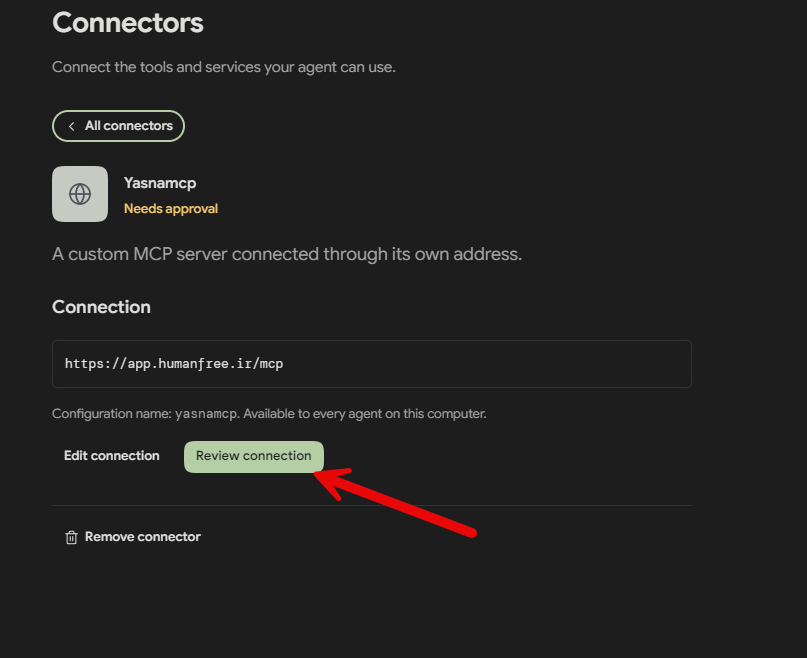
Select Custom MCP
Set the connection type to Custom MCP .
4
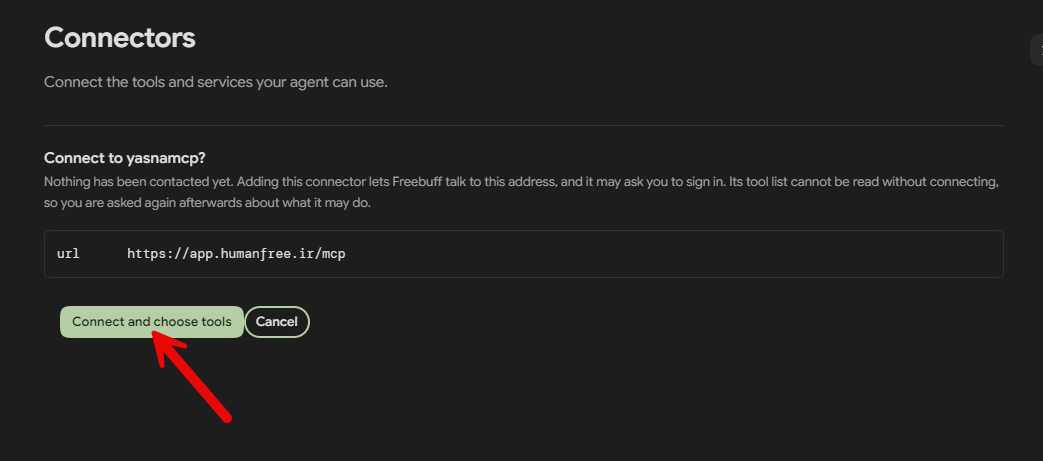
Enter the YasnaMCP address
Enter your YasnaMCP endpoint. This MCP server address exposes your tools to FreeBuff.
5
Configure authentication
If authentication is enabled, enter the secret or header required by YasnaMCP.
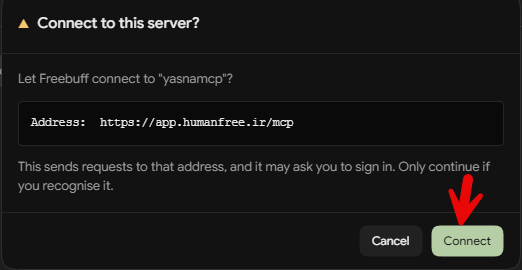
6
Save the connection
Save the settings to connect FreeBuff to YasnaMCP.
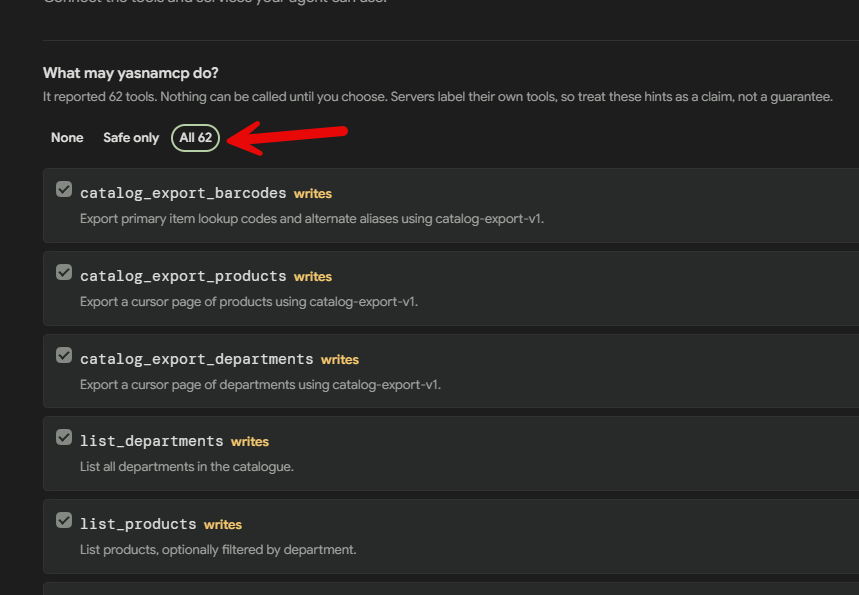
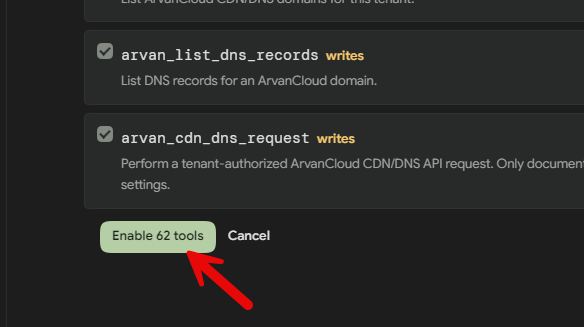
7
Discover tools
After connecting, the tools published by YasnaMCP become visible in FreeBuff.
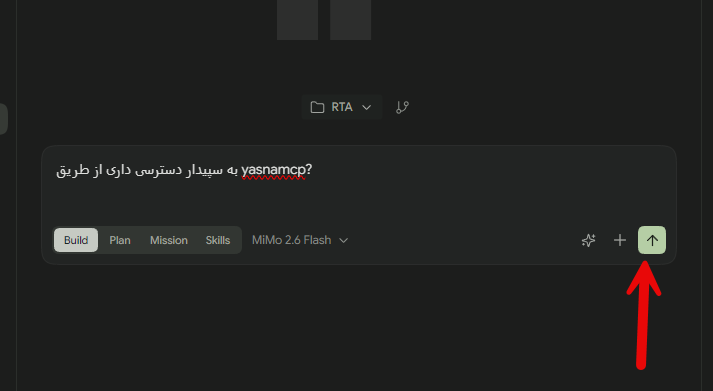
8
Use the connection in a conversation
You can now ask the model to use authorized financial or organizational tools connected through YasnaMCP.
Connecting AI to financial systems
FreeBuff is the AI client in this architecture, while YasnaMCP controls which tools and data are exposed to the model. Controlled tools can support financial reports, document search, account analysis, sales review, inventory, CRM and ERP scenarios.
Key benefit: Users do not need to pay a separate fee for FreeBuff itself to begin connecting AI to financial systems through YasnaMCP.
Find Setad procurement opportunities with FreeBuff and YasnaMCP
Setad, Iran’s government electronic procurement system, publishes and handles procurement processes for public bodies. Finding suitable opportunities, reviewing terms and tracking deadlines takes time and staff effort. Combining FreeBuff as the AI client with tools exposed through YasnaMCP can turn this into a manageable workflow.
A management scenario: ‘Find new tenders and opportunities relevant to our business, separate those with approaching deadlines, summarize important conditions and list opportunities requiring immediate review.’
How can AI help?
- Find and categorize opportunities by goods, services, province or business area.
- Check publication dates and deadlines from accessible information.
- Summarize visible terms, documents and requirements.
- Compare opportunities against business criteria and prioritize them for management review.
- Reduce repetitive checking and prepare operational reports.
FreeBuff → Custom MCP → YasnaMCP → authorized Setad access tools → opportunity analysis
Setad connection demonstration
The video below demonstrates working with Setad through connected tools.
Considerations: Access depends on installed tools, user permissions, Setad restrictions and the authorized connection method. Verify information against the official source. Submitting proposals, joining tenders or taking binding actions requires approval from the authorized responsible person. FreeBuff being free does not imply that other services, models or integrations are free.