YasnaMCP and AI-Assisted Security Operations
Imagine repeated failed sign-ins on a critical server at midnight. IT may discover them the next morning, while security monitoring's value lies in early detection, severity assessment and fast escalation to the right owner. By connecting AI to operational tools, YasnaMCP can form part of a security operations center, provided the required data sources and tools are connected.
Organizational security should not depend on one person’s constant presence
Imagine repeated failed sign-ins on a critical server at midnight. IT may discover them the next morning, while security monitoring’s value lies in early detection, severity assessment and fast escalation to the right owner. By connecting AI to operational tools, YasnaMCP can form part of a security operations center, provided the required data sources and tools are connected.
From raw logs to a trackable incident
An operational architecture collects Linux and Windows logs, web-server, firewall, business-service and monitoring events. An AI agent can summarize authorized data and correlate events such as increased sign-in attempts, suspicious configuration changes or service failures. Detection depends on data quality, detection rules and connected-tool accuracy.
What managers need
Executives do not need millions of log lines. They need to know which service is threatened, how severe the incident is, who owns the response and what actions have been taken. Clear reports and prioritized alerts make security part of business risk management.
Control and authorization come before automation
Connecting AI to security tools should not imply unlimited access. Start read-only. Changes such as blocking an address, disabling an account or restarting a service should have explicit permission, audit records, access boundaries and a rollback path.
A practical scenario
Ask the assistant: ‘Review security on the sales servers, classify unusual events from the last 24 hours by risk and prepare an action report for critical cases.’ With the necessary connectors, rules and permissions, this can become a real workflow.
For managers: from an idea to controlled implementation
To assess these capabilities against your servers, processes and security requirements, define the connected-tool architecture, access boundaries, monitoring and pilot stages. The examples are architectural scenarios, not a claim that every installation has every feature enabled.
Explore Windows Agent | YasnaMCP integrations | Connect AI with FreeBuff
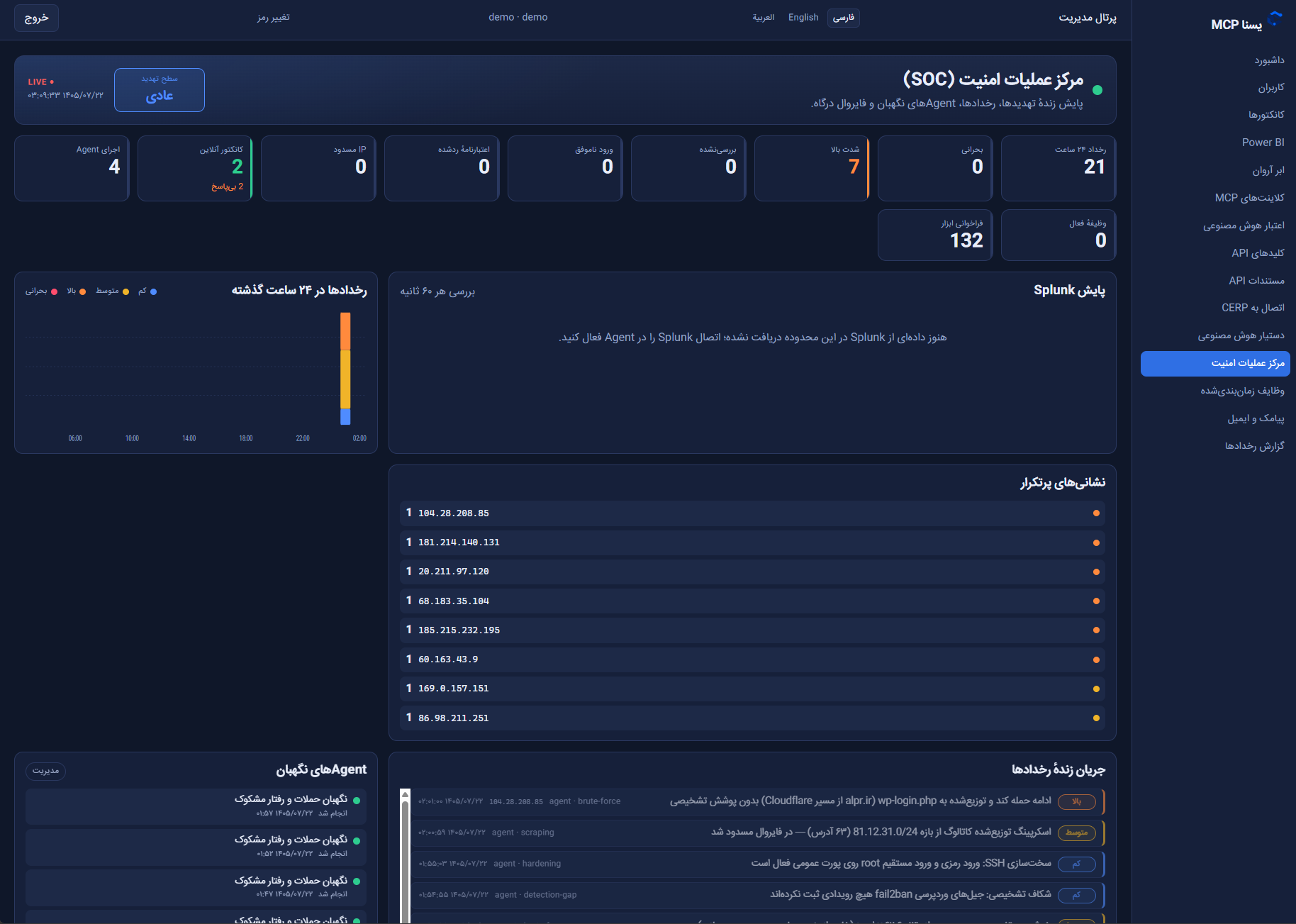
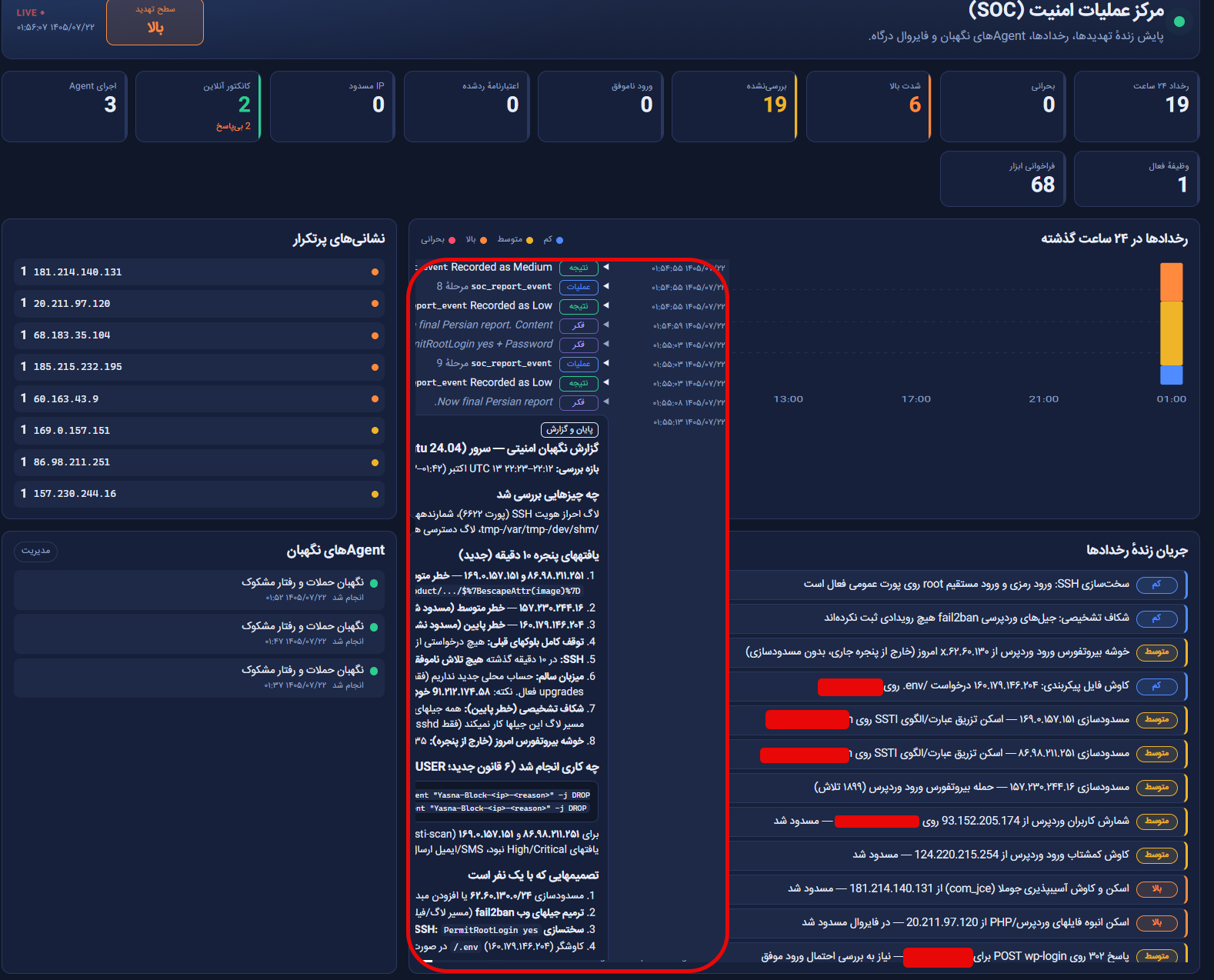
Actual dashboard views and SOC monitoring examples
The images below show examples of security operations dashboards, events and notification workflows. Enabled tools and permissions determine which operations can be performed.